Mellel 6.6 is Here!
New in Mellel 6.6
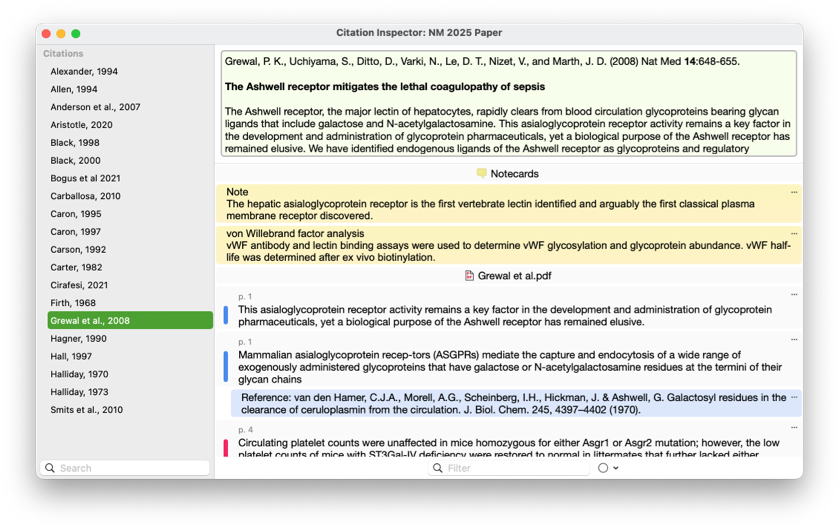
Citation Inspector
The Citation Inspector window provides a detailed view of references used in your document all within Mellel. For each citation in the document, the inspector shows you reference details such as title, authors, abstract, and more, and lists all notecards, attached PDFs and their annotations, and other attachments. You can use this information in your document by copying, dragging and dropping, inserting as a footnote/endnote, or creating deep links. The notecard and annotation lists also features a handy filter that allows you to zero in on specific items by filtering for text or highlight color.
Note: Citation Inspector requires Bookends 15.2.4 or later
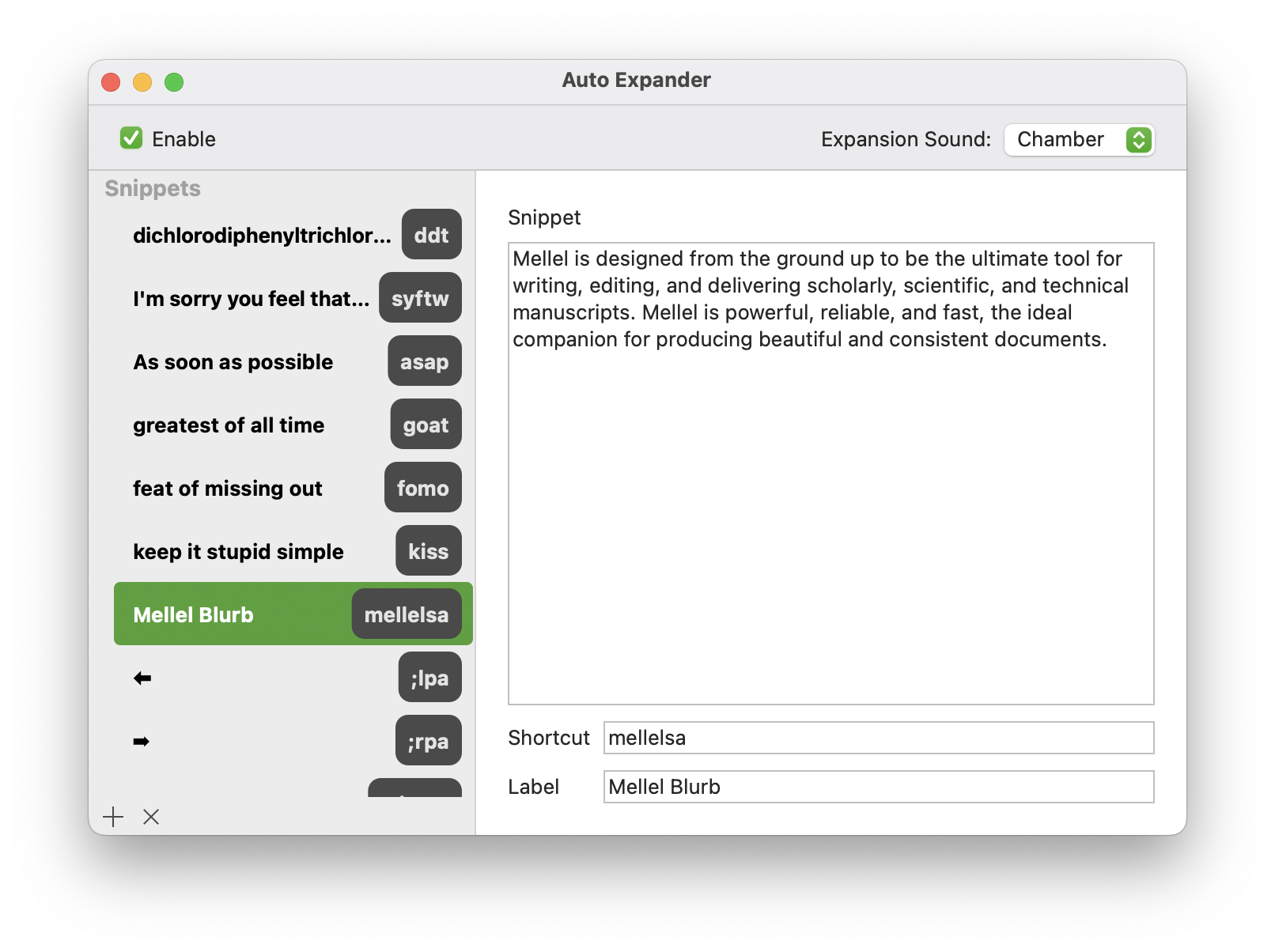
Auto Expander
Auto Expander is a feature that saves you time by letting you insert text using a shortcut. To use Auto Expander, define the text want to type, i.e., the shortcut, and the text you want to replace it with. You can use Auto Expander to enter long words or phrases, special characters that are not available via the keyboard, ensure that text that is prone to typos is entered correctly, and more.
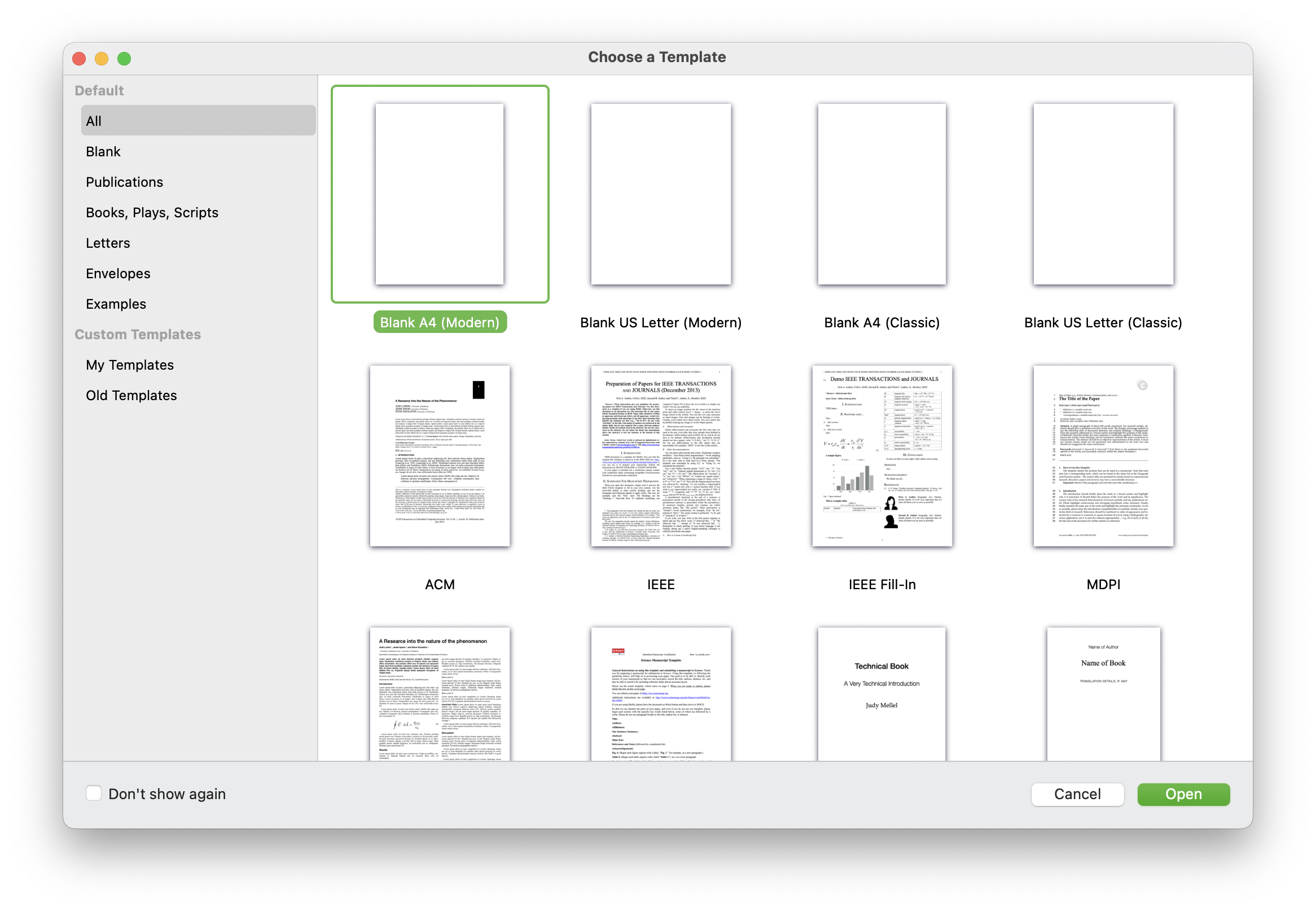
Template Chooser
The template chooser now features a cleaner design and the window can be resized freely (which is remembered for the next time). A context menu allows you to set the default template, and the "Don't show" checkbox allows you to skip this window when creating a new document, selecting the default template automatically.
You can read the full release notes here.
Upgrade Cost
- Mellel purchased January 2024 or later – free
- Otherwise – $44.99
Choose Mellel > Check for Updates to check your upgrade status.